TOGAACADEMY

TOGA Academy · Collection

E-Jet E2 · Flight Deck Collection

Every E-Jet E2 trainer that runs in your browser, plus the RNP AR and Flight Psychology courses.

Computer, tablet or phone · nothing to install · English and Portuguese

Photo of the E-Jet E2 flight deck
Flight Deck CollectionE-Jet E2

What is in the box

Four trainers and two courses. The MCDU and the Flight Psychology course are free; the rest comes with the subscription.

MCDU Trainer Free

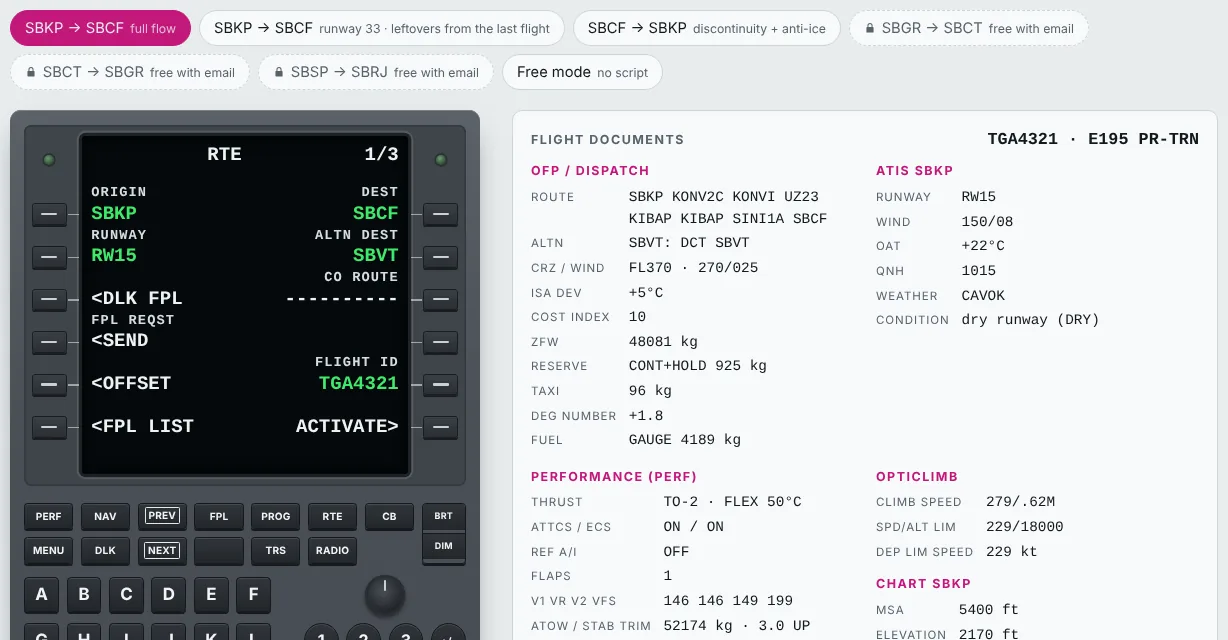
Set up the FMS step by step with the flight paperwork beside you, and get instant feedback on every entry.

  • Guided scenarios with OFP, ATIS and takeoff data
  • Real page flow: INIT, RTE, PERF, TAKEOFF
  • Mistakes are explained, not just marked wrong
Open trainer →
MCDU Trainer: the MCDU on the route page next to the flight documents

MCDU + Map Trainer

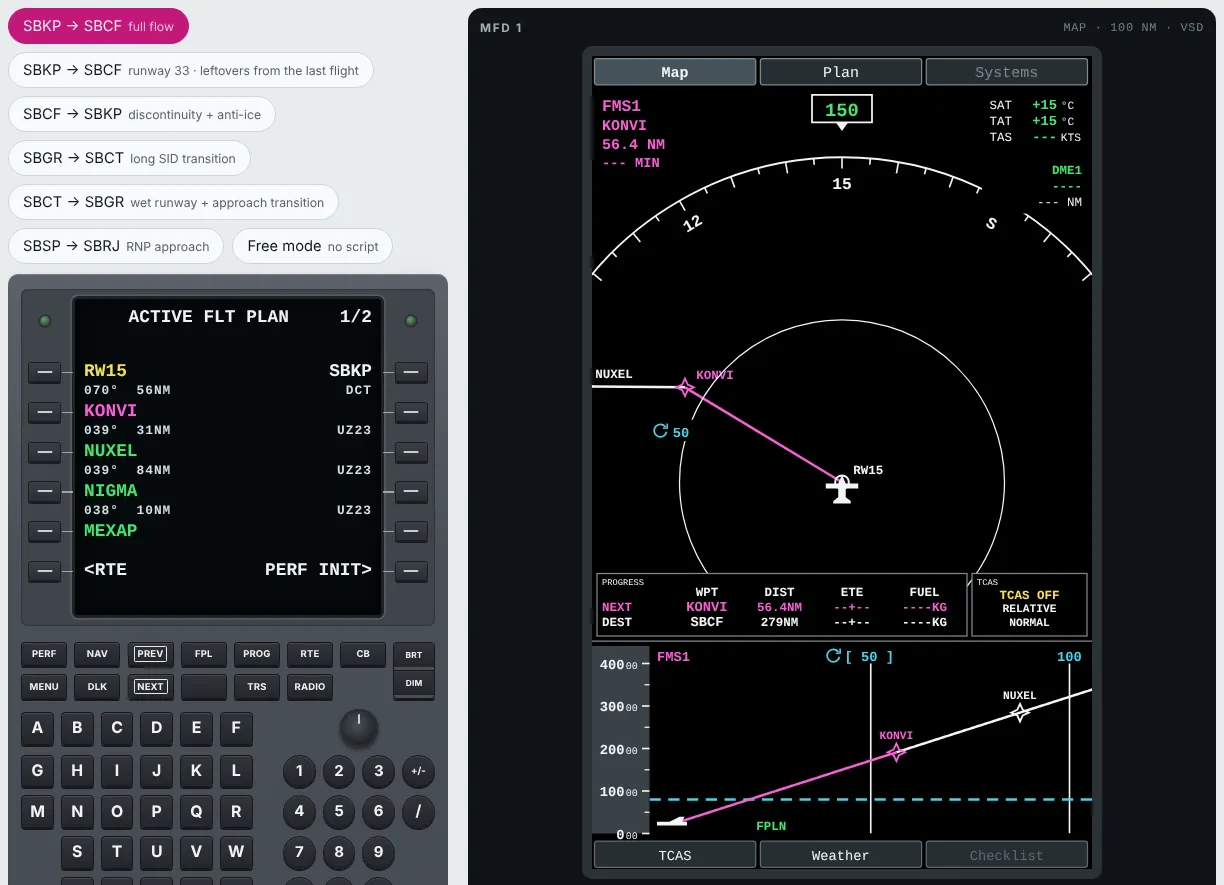
Program the FMS and watch the route come alive on the MFD, with the map, vertical profile and progress window updating as you go.

  • Map and Plan pages with the route, waypoints and range control
  • Vertical situation display (VSD) and PROGRESS window
  • Every guided scenario, with the OFP and PERF in side tabs
Open trainer →
MCDU + Map Trainer: the active flight plan on the MCDU beside the MFD map, progress window and vertical profile

Cockpit Trainer

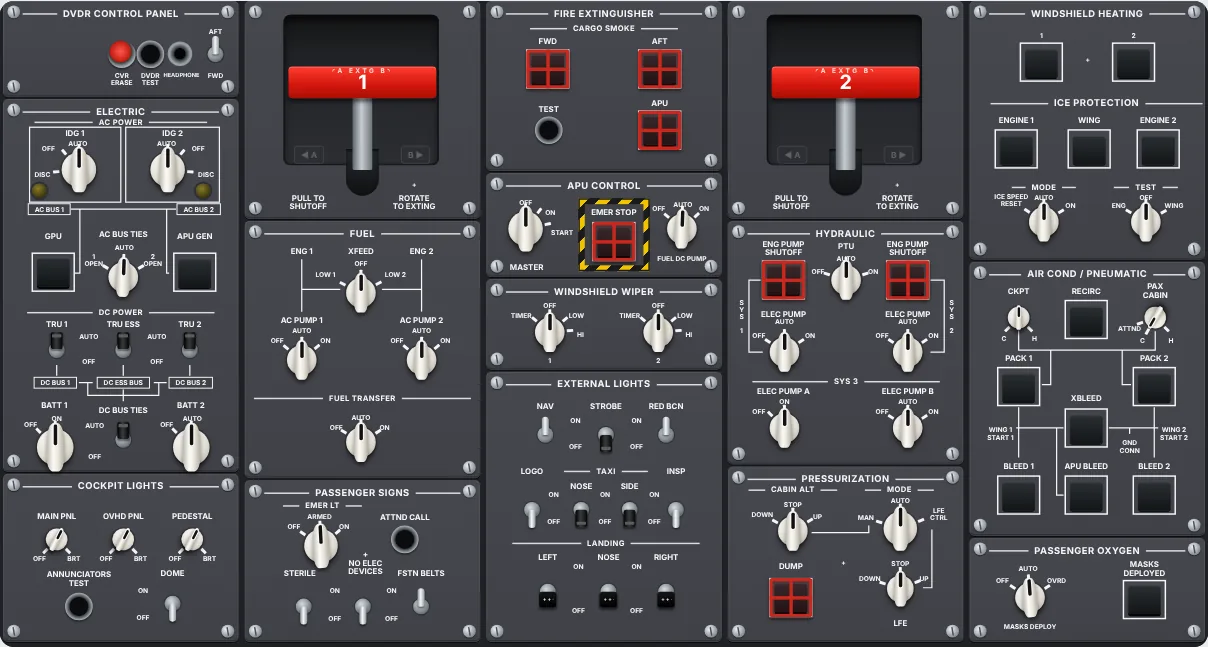
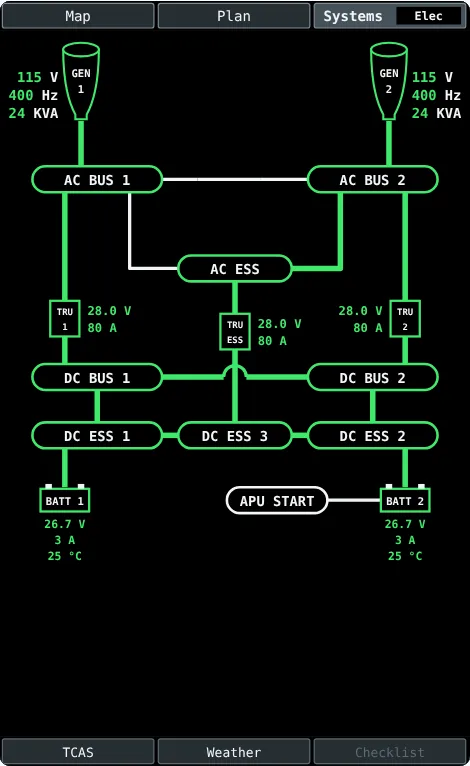
Every overhead switch changes the system, and the MFD synoptic pages show you the result.

  • Overhead, main panel, pedestal and EICAS
  • Electrical, hydraulic, fuel, ECS, anti-ice and flight control synoptics
  • Power-up, APU start and engine start the way the AOM describes them
Open trainer →
Drawn E2 overhead panel with every switch
MFD electrical synoptic page with the APU powering the buses

Guidance Trainer

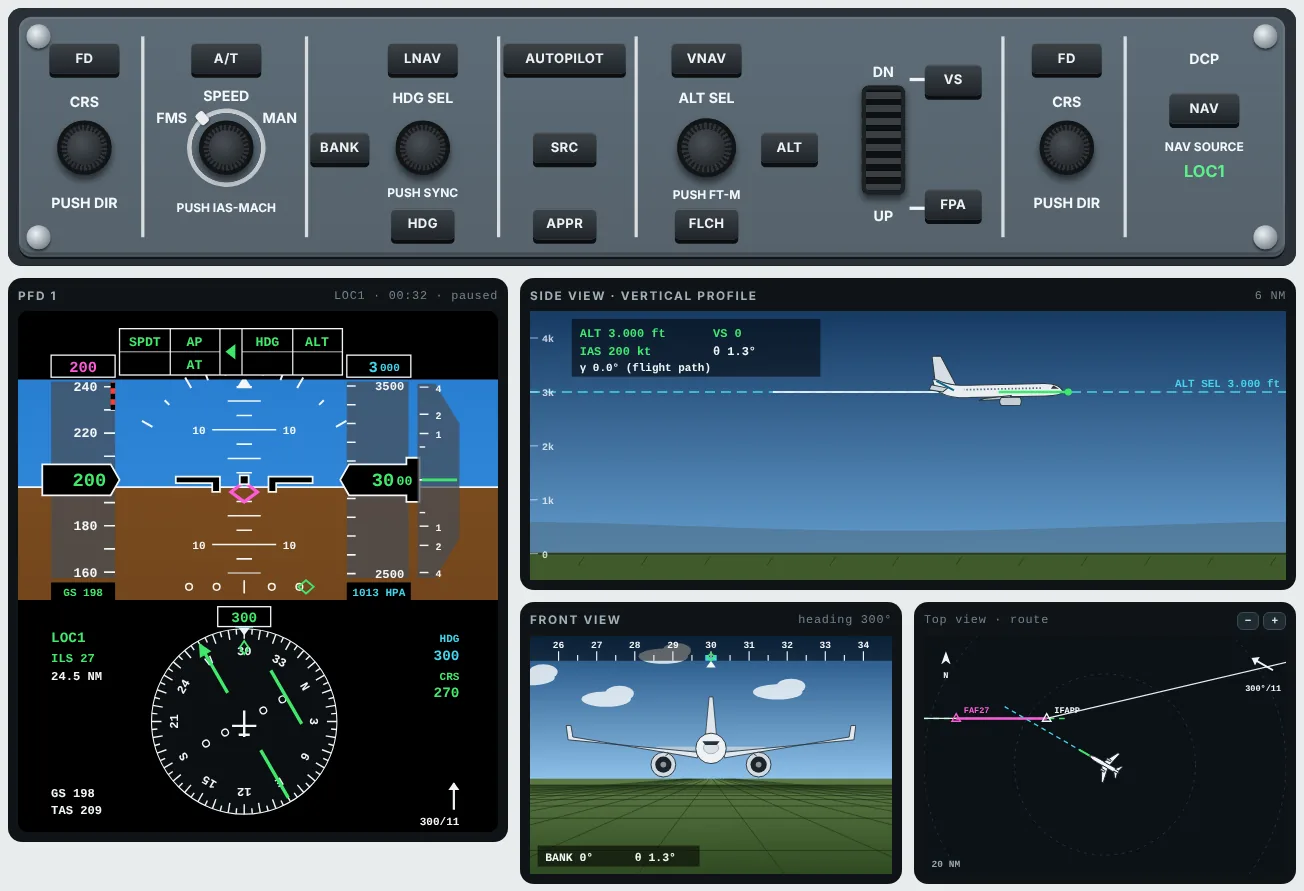
Select autopilot modes on the guidance panel and watch what the airplane does, from takeoff to autoland.

  • PFD and FMA show what is armed and what is active
  • Side, front and top views place the airplane in space
  • TO/GA, LNAV, VNAV, FLCH, ILS capture and go-around
Open trainer →
Guidance Panel, PFD and FMA with the side, front and top views of the airplane on an ILS approach

RNP AR Course

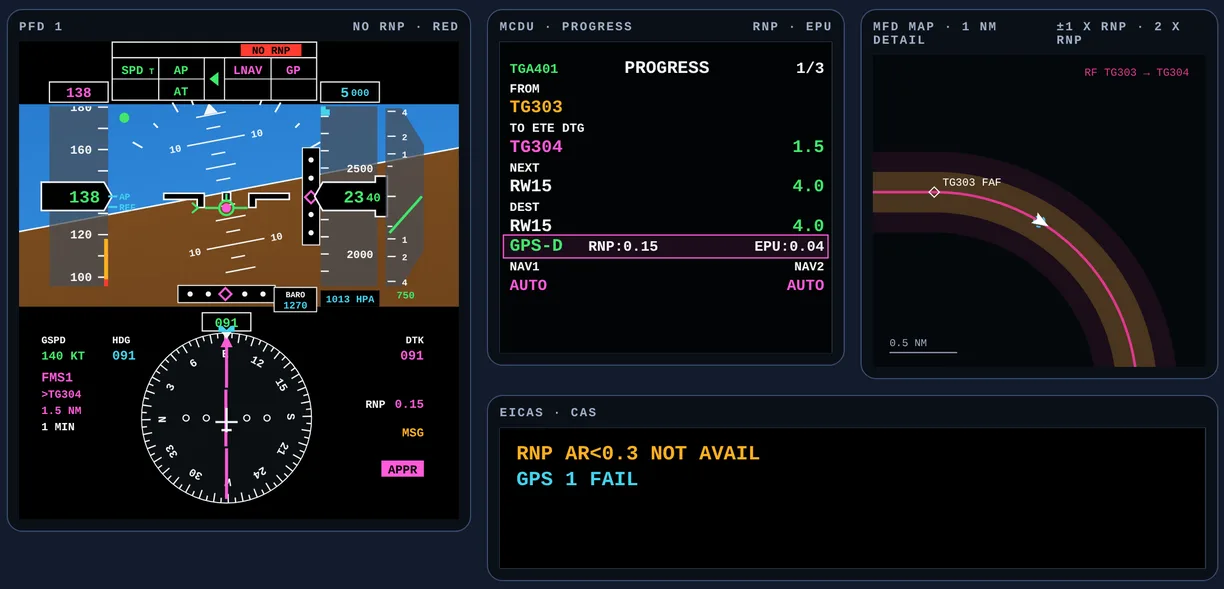
From PBN basics to the extraction maneuver, with a Flight Deck Lab where you fly the approach and decide what to do when something fails.

  • E2-style PFD, MCDU PROGRESS with RNP and EPU, map and EICAS CAS
  • Continue, go around or extraction: feedback on every decision
  • Checked against ICAO, FAA, EASA and the E-Jet QRH, with drills and a quiz
Open course →
RNP AR Flight Deck Lab: PFD with NO RNP in red after a GPS failure on the RF leg, MCDU PROGRESS with RNP and EPU, map with the corridor and the EICAS CAS

Flight Psychology Course Free with sign-up

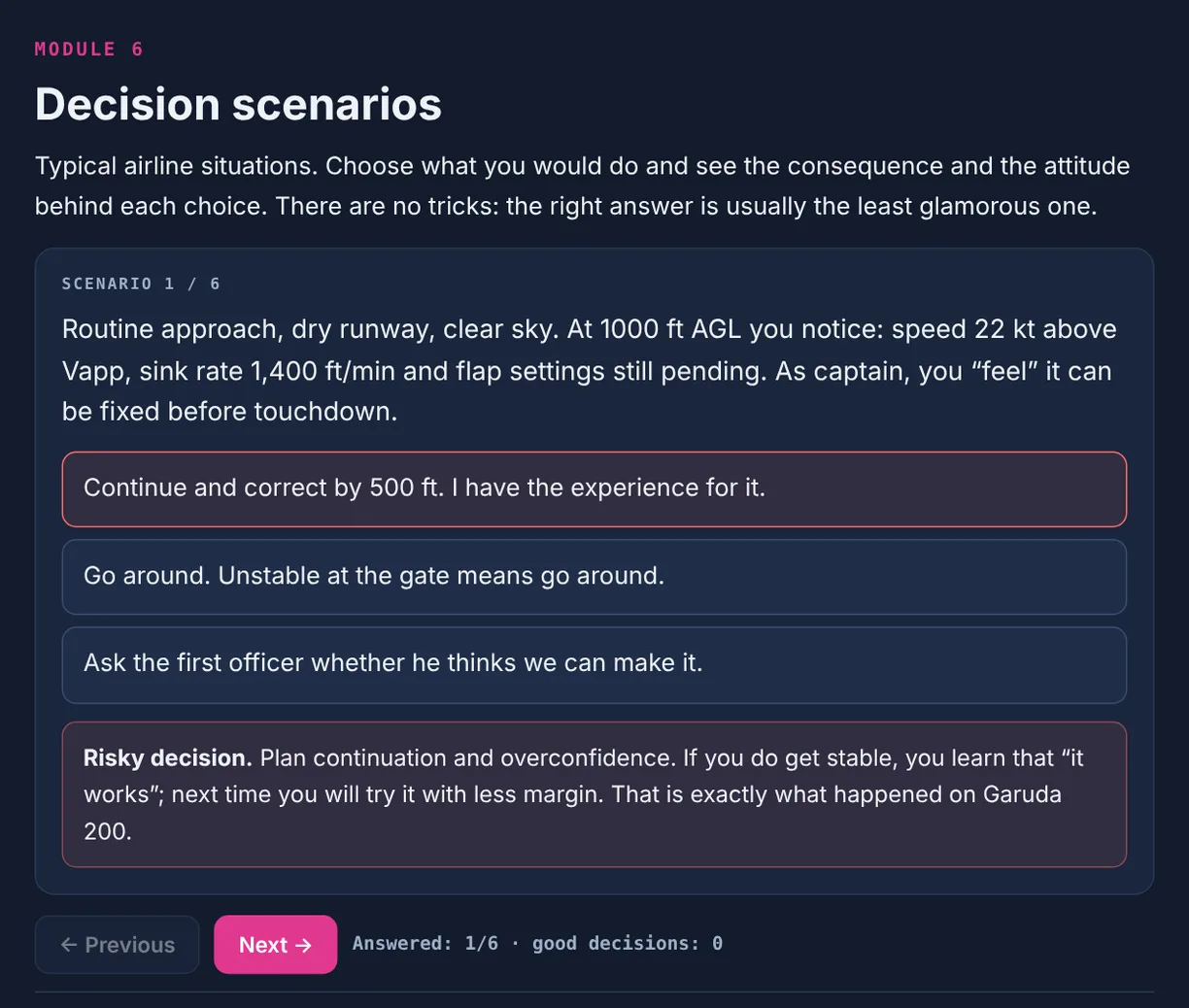
Learn to recognize overconfidence and the urge to test limits in yourself and in your crew, and what to do about them.

  • The five hazardous attitudes and their antidotes, plus traps like normalization of deviance and plan continuation
  • Real accidents explained, and decision scenarios with feedback on every choice
  • Private self-assessment, authority gradient, a checklist and a quiz
Take the free course →
Flight Psychology Course: a decision scenario on an unstable approach, with feedback on the chosen answer

Plans

Every plan unlocks the whole collection: MCDU + Map, Cockpit, Guidance and the RNP AR course.

Monthly

US$ 9.99/month

Cancel anytime

Choose Monthly

Sim Prep · 3 months

US$ 19one-time

3 months for the price of 2, no renewal

Choose Sim Prep · 3 months
Best price

Annual

US$ 69/year

US$ 5.75/month · Best price

Choose Annual

The MCDU Trainer and the Flight Psychology course stay free, with or without a plan.

Want everything, from flight school to the airline? The Complete Package includes this collection and every course. See the Complete Package →

Frequently asked questions

Does it work on a phone?

Yes. Everything runs right in the browser on a computer, tablet or phone, with nothing to install. A larger screen helps with the trainers.

Can I cancel?

Yes. The monthly plan can be cancelled whenever you like, and access continues until the end of the paid period. Sim Prep never renews on its own, and on the annual plan you can turn off renewal at any time in your account.

What is the difference between monthly, Sim Prep and annual?

They all unlock the same collection. Monthly is billed every month until you cancel. Sim Prep is a single payment for 3 months, made for anyone heading into a sim or a training event, and it does not renew. Annual is the lowest price per month.

Is it approved by an authority?

No. It is independent study material. It does not replace approved training or your operator's manuals.