E-Jet systems
E-Jet cold and dark: how the airplane wakes up, step by step
Cold and dark is the airplane fully shut down: no power, no displays, no air. Understanding the order in which it wakes up teaches more about the systems than any diagram.
In short
- Power-up follows a logic: make sure nothing will move or switch on by itself, turn on the batteries, bring in an AC source (ground power or APU) and let the automatic tests finish.
- The E-Jet electrical panel shows the sources (generators, APU, ground power and batteries) and the buses they feed.
- The exact sequence, switch positions and checks are your operator’s. The focus here is understanding why.
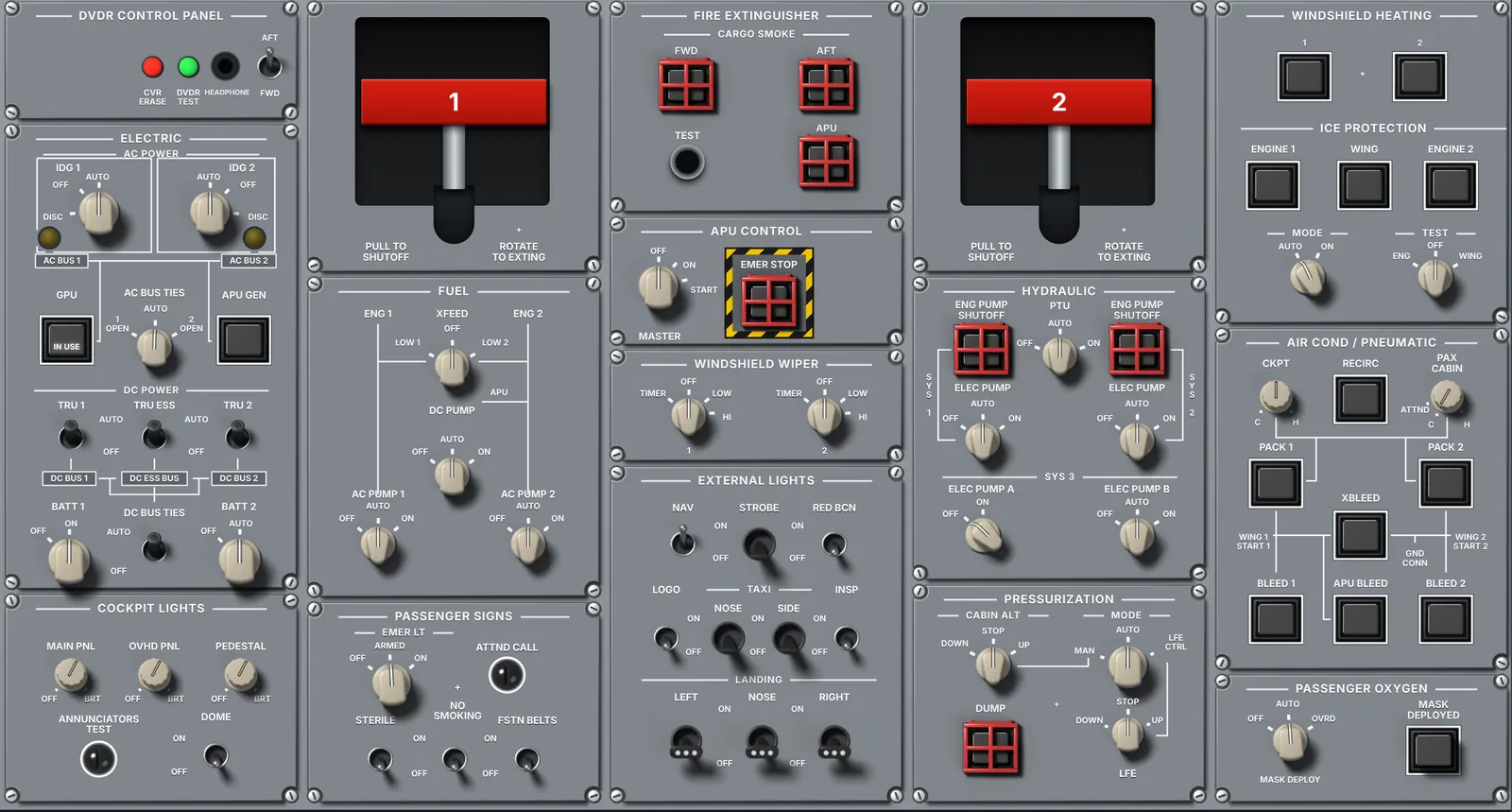
Many sim sessions start with the airplane already powered. Even so, knowing how it comes out of cold and dark is one of the best ways to understand the E-Jet: each step shows who feeds whom, and what you see on the displays as each system wakes up. This article explains the general logic; it does not replace the procedure.
Important: this article is study material. Always follow your operator’s approved manuals and procedures; your airline’s sequence, checks and division of duties have the final word.
What cold and dark means
Cold and dark is the airplane with no power source on: batteries off, no ground power, APU and engines stopped. Displays dark, no system running. It is how the airplane is usually left after a night stop or maintenance.
Before switching anything on: a safe cockpit
Powering an airplane with switches out of position can move surfaces, run pumps, start wipers or retract something that shouldn’t move. That is why the first step is a cockpit safety inspection: checking that the controls and switches that could cause movement or power something unintentionally are in the safe position.
Typical examples of what gets checked at this stage are the landing gear lever, the hydraulic pump selectors, the flap position and the wiper and exterior light switches. The exact list is in your operator’s procedure.
The E-Jet power sources, on one panel
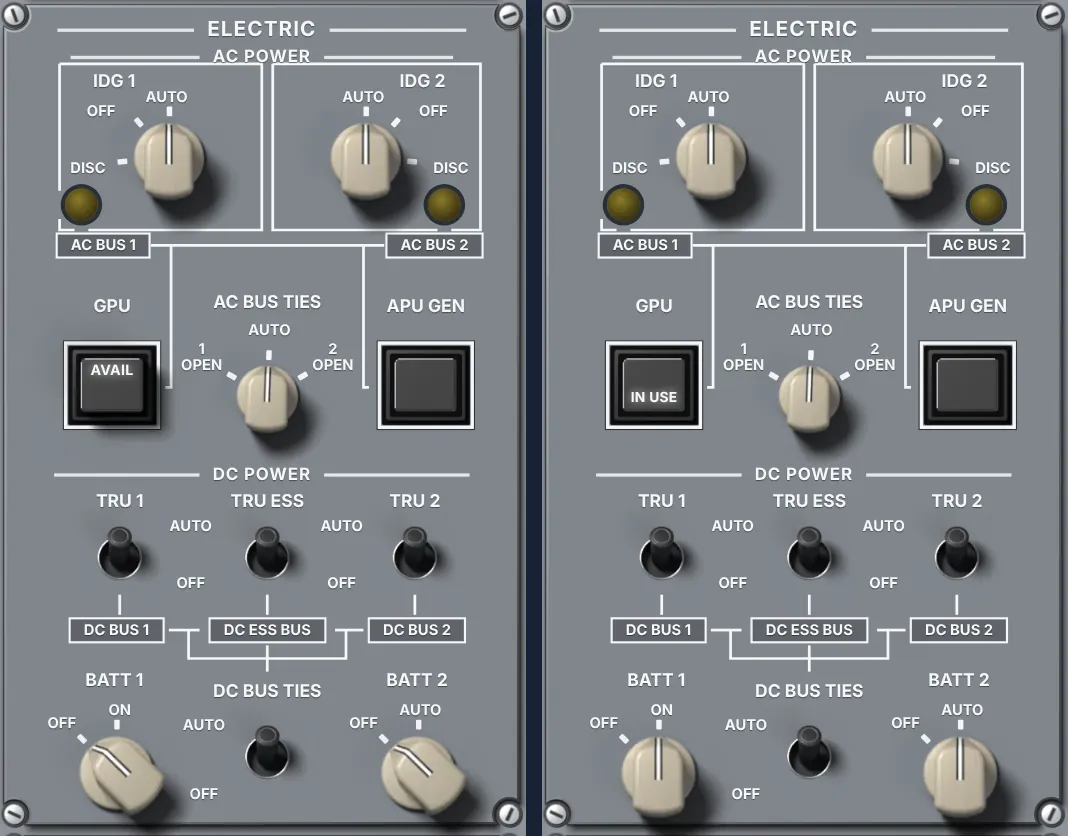
The electrical panel on the overhead is a map of the sources:
- IDG 1 and IDG 2: the engine-driven generators, the main AC sources in flight.
- APU GEN: the APU generator, which provides power with the engines stopped or as a backup.
- GPU: the external ground power. The button shows when it is available and when it is in use.
- Batteries 1 and 2: the DC source to get everything started and for emergencies.
- TRUs: transformer rectifier units that convert AC into DC for the DC buses.
- Bus ties: the links between buses that let one source feed the other side.
The logic of the sequence
In general, power-up follows this logical order. The detailed sequence and checks come from your manual.
- Batteries. The batteries go on first and bring the essential DC buses to life. With them come some indications and the ability to check voltage and communication. Keep this phase short: batteries are not meant to carry the airplane for long.
- AC source. If ground power is connected and available, it is put in use and feeds the AC buses and, through the TRUs, the DC buses. Without ground power, the APU is started on the batteries and the APU generator takes over.
- Power-up tests. When power arrives, the systems run automatic built-in tests. The Canadian authority’s operational evaluation report mentions about three minutes for the electrical power-up test on the E1 and two on the E2. Touching everything during that time is asking for odd EICAS messages.
- Crew tests and checks. With the airplane powered come the tests your procedure calls for, such as the fire detection test, and a review of the EICAS messages.
- APU and air. If the airplane was on ground power, the APU can be started afterwards to provide power and air for air conditioning and engine start.
On the E2, the same logic
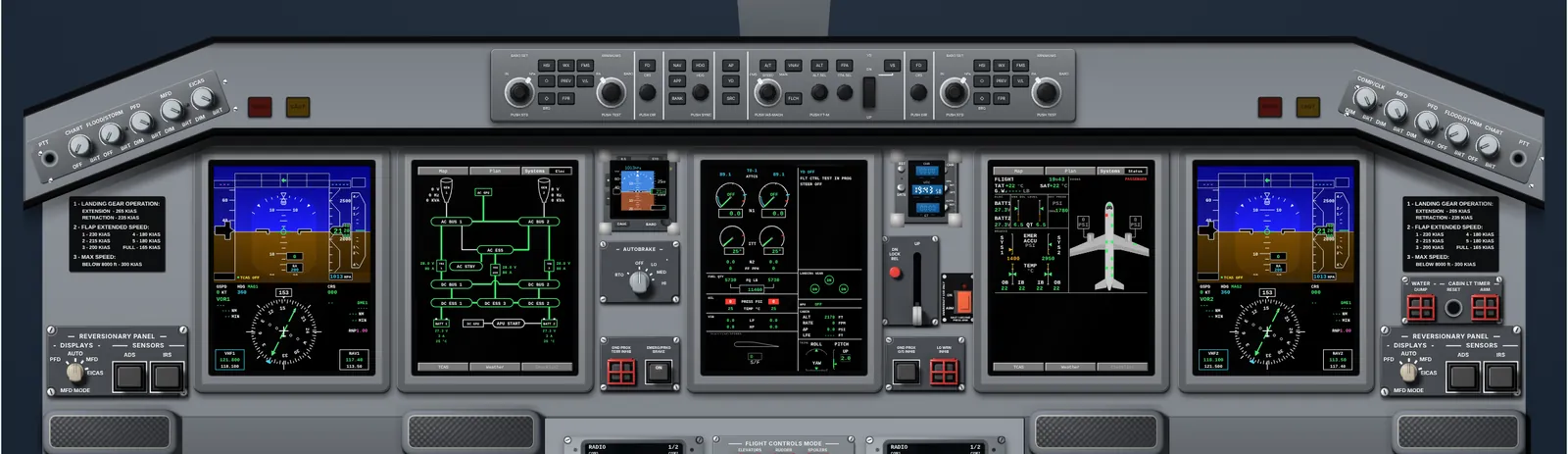
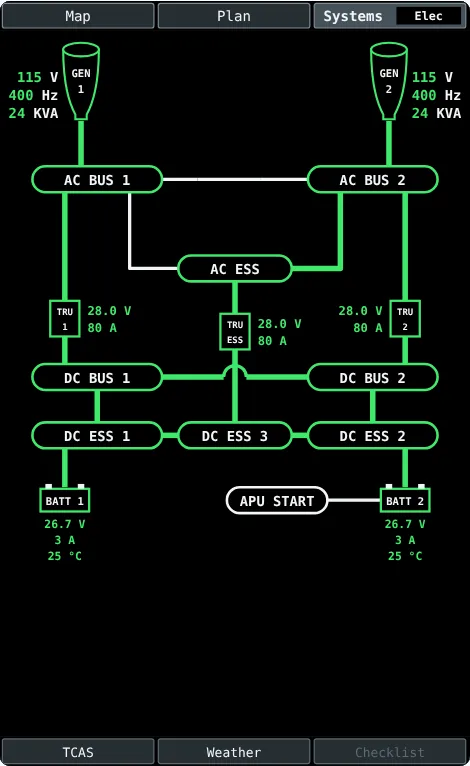
The E2 follows the same general idea: cockpit safety, batteries, an AC source and the tests. Some details change, such as which displays are available on battery power alone and how long the electrical test takes. The electrical synoptic shows the same pieces: generators, buses, TRUs and batteries.
Common beginner mistakes
- Skipping the safety inspection and powering up with a selector out of position.
- Staying on batteries alone too long without bringing in an AC source.
- Touching everything during the power-up tests and then trying to make sense of the messages.
- Memorizing the sequence without understanding who feeds whom. On your first electrical failure in the sim, that logic is what saves you.
Practice cold and dark in your browser
In the TOGA Academy cockpit trainers you can start cold and dark, on ground power, with the APU running or in cruise, and see what each action changes on the displays and synoptics. For the E2, see the E2 Cockpit Trainer; for the E170, E175, E190 and E195, the E-Jet E1 trainer. If you are building your study plan, read How to study for the E-Jet type rating.
Frequently asked questions
What does cold and dark mean?
The airplane with no power source on: batteries off, no ground power, APU and engines stopped, displays dark.
Why check the switches before turning on the batteries?
Because, when power comes on, systems with a selector out of position may move or start by themselves. The cockpit safety inspection prevents that.
Is it better to power up on ground power or the APU?
It depends on your operator’s procedure and what the airport has. The logic is the same: batteries, an AC source and the power-up tests.
Can I practice cold and dark without a simulator?
To understand the logic and learn the panels, yes: browser trainers help a lot. The official procedure and simulator practice are still required.
Flying the E1? See the E-Jet E1 trainer →
Sources
- Transport Canada. Operational Evaluation Report, Embraer E170 (E-Jets), revision 1 (E1 to E2 power-up differences).
- FAA. Master Minimum Equipment List ERJ-170/190 (electrical power items: generators, APU generator, batteries and external power).
- FAA. Aviation Maintenance Technician Handbook, aircraft electrical systems chapter.